The standard way to save one file from GitHub is: open the file, find the raw view or the download icon in the file header, click it, wait for a new tab, save. RepoKit collapses that entire sequence into a single click from the file listing itself.
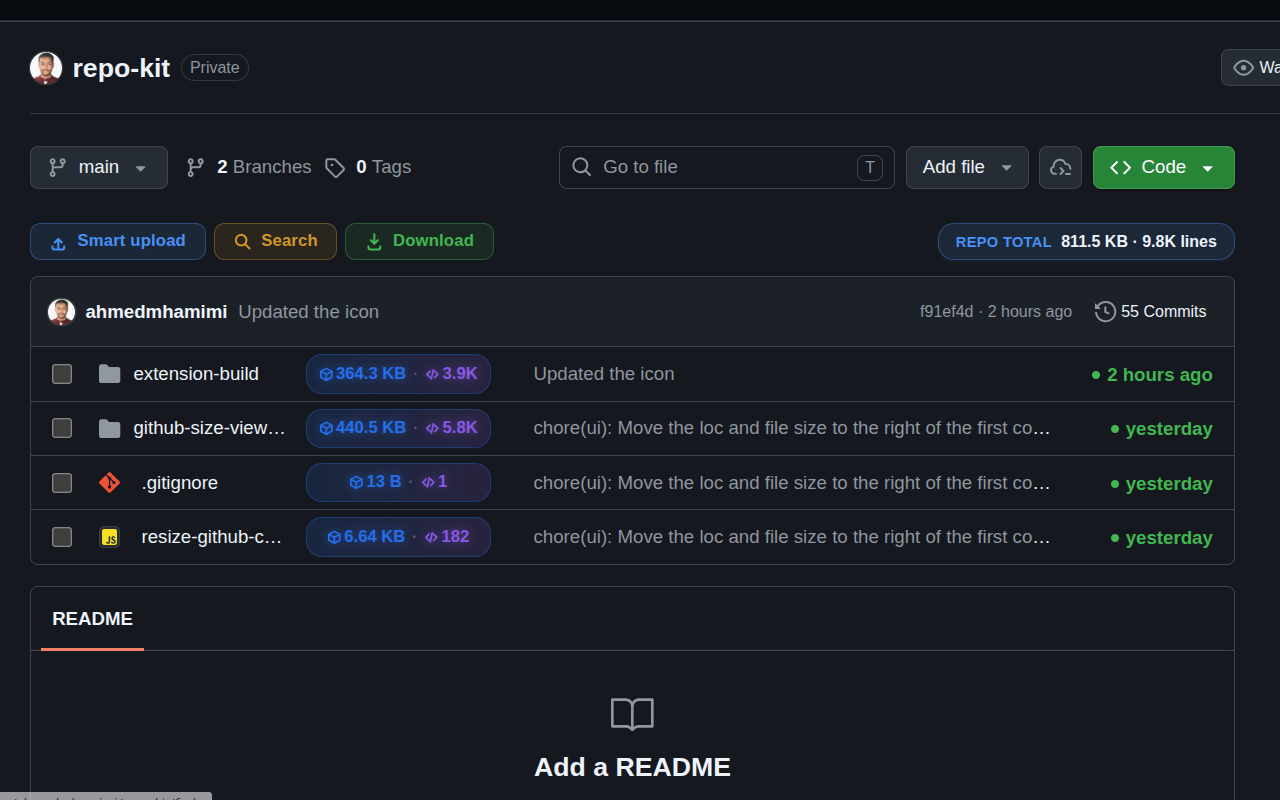
Downloading one file from GitHub sounds trivial, and mechanically it is — but the number of clicks it actually takes is surprisingly high for something so simple: open the file, locate the small download icon (or navigate to the raw URL), click, and depending on your browser settings, confirm a save dialog or watch a new tab open with plain text. If you're pulling several individual files from different folders — a common task when reviewing an unfamiliar codebase or grabbing a handful of example configs — that friction repeats every single time.
RepoKit puts a download icon directly on the file row itself, right there in the listing, next to the file's size badge. Hover any file, click the download icon, and the file saves to your downloads folder immediately — no intermediate page, no raw-view detour, no second click to confirm you actually meant "download" and not "view."
This feature doesn't stop at single files. RepoKit adds a checkbox to every row, and once you've selected more than one file (from anywhere in the current folder), the same download action bundles your selection into a single .zip rather than triggering separate downloads — useful when you need three or four specific files out of a larger directory without wanting the whole folder.
The folder download feature is for when you want an entire directory's contents. This one is for the narrower, more common case: you know exactly which file (or files) you want, and a whole folder — even a small one — is more than you need. Both features share the same underlying fetch mechanism; the only difference is scope.
RepoKit puts a download button directly on every file row — no opening, no raw view, no detour.
Add RepoKit to Chrome — it's free Repo
Repo