RepoKit adds the things GitHub's file listing has always been missing — file sizes, line counts, instant search, one-click zip downloads, duplicate detection, and private repo support — directly onto github.com. No setup, no server, no account required.
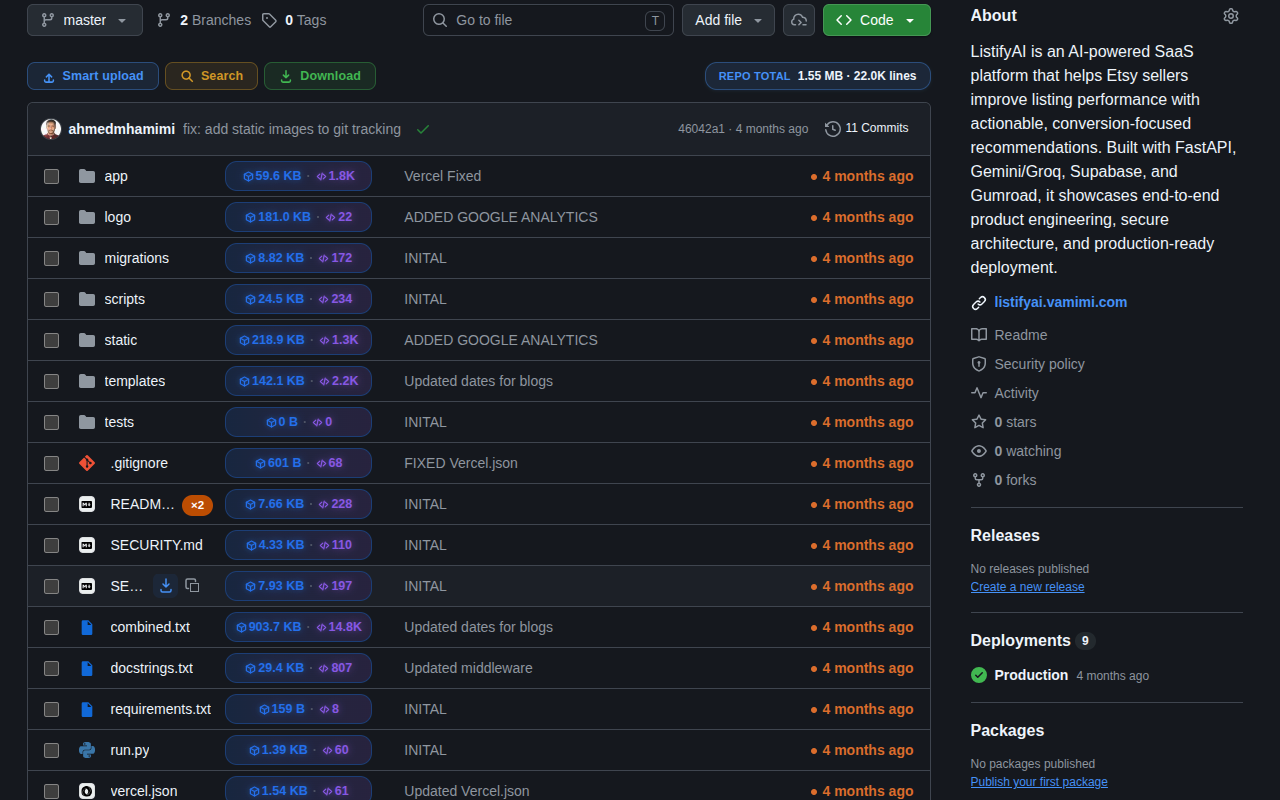
A byte-accurate badge on every row, plus a running repo total.
See code volume next to byte weight, so you can tell them apart.
Grab one folder, not the whole repo — assembled entirely in your browser.
One click from the listing — no opening, no raw view.
Straight to your clipboard, without opening the file first.
Ctrl/Cmd+Shift+K jumps to any file in the repo immediately.
Flags every filename that repeats elsewhere in the repo.
Connect a read-only token once, everything works there too.
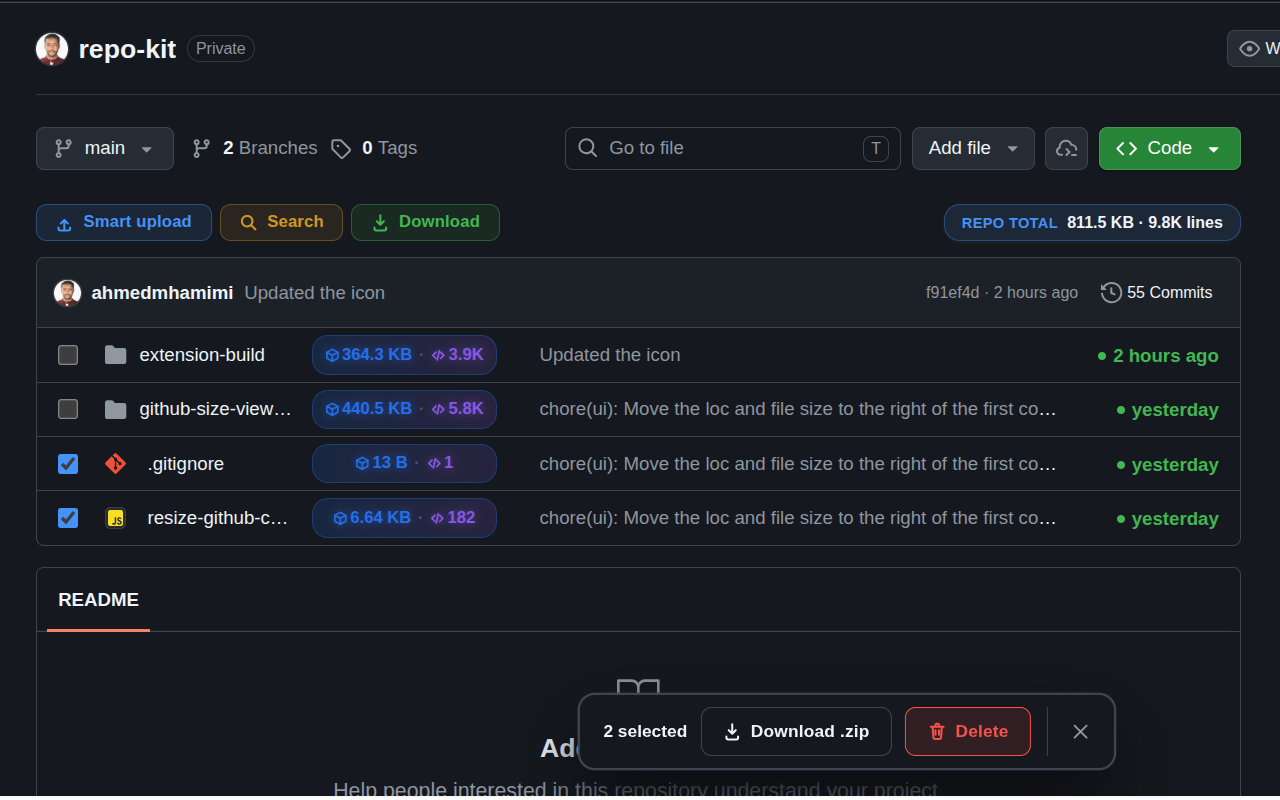
GitHub's own download button only ever gives you everything. RepoKit adds a dedicated download to every individual folder and file, plus multi-select for grabbing a specific handful of files as one .zip — all assembled entirely in your browser, with nothing routed through a third-party server.
Explore zip downloadsLarge repositories bury the file you want several folders deep. RepoKit's search modal indexes the whole tree the moment you land on a repo, ranks results by relevance, and shows size and duplicate context right in the results list — so you skip the folder-clicking entirely.
Explore search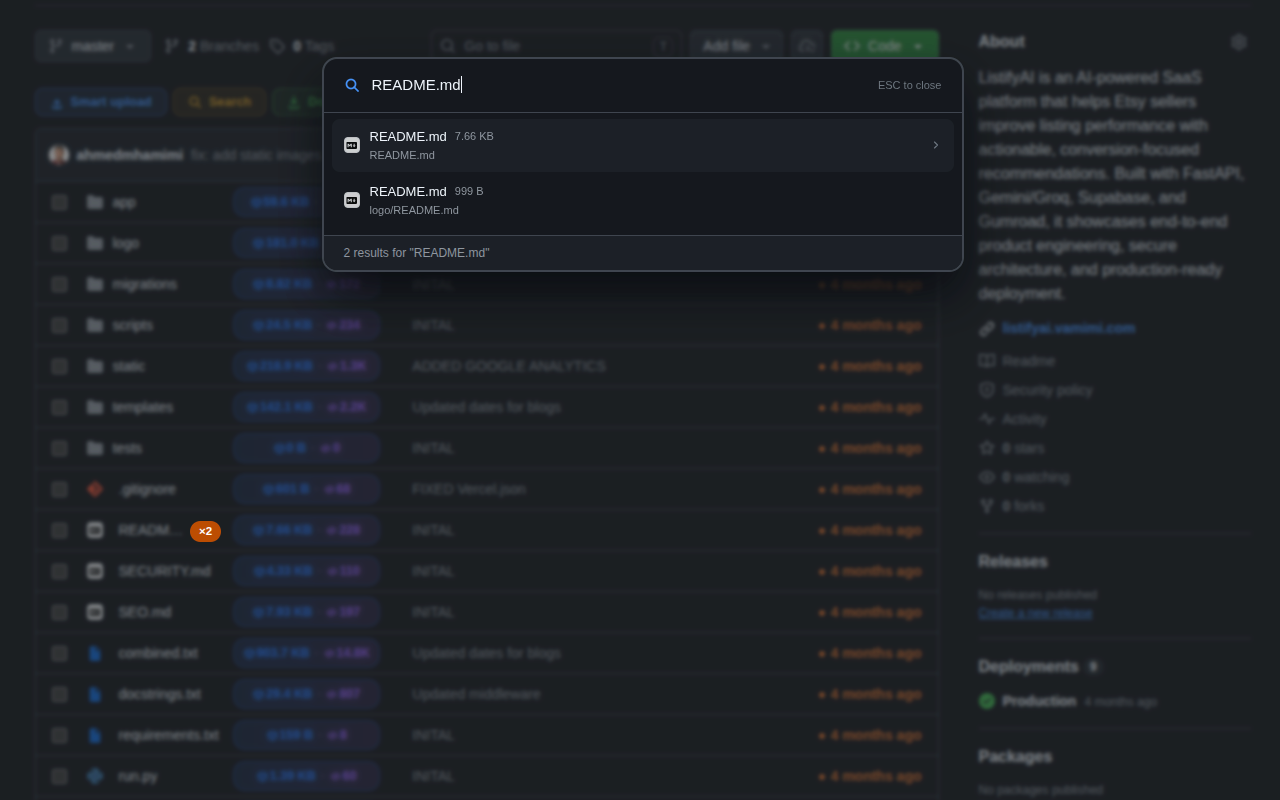
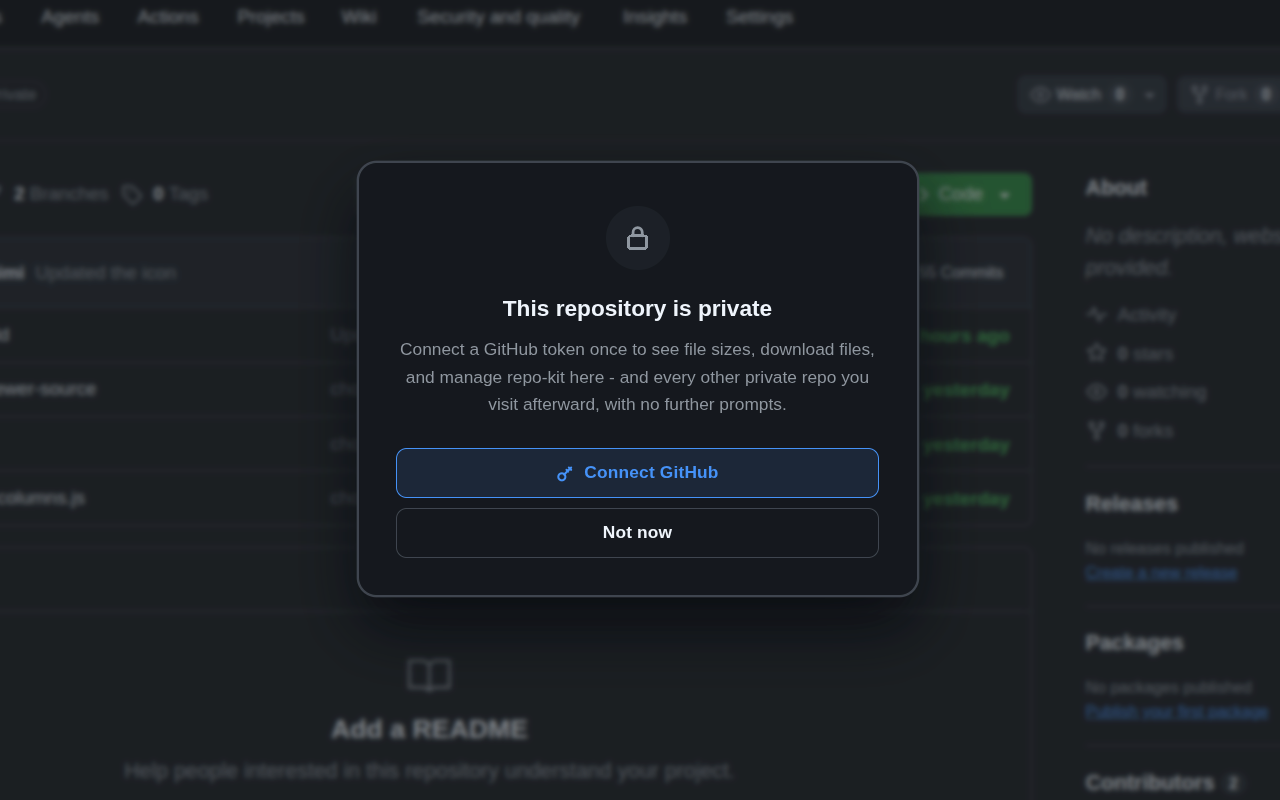
Most of a working developer's GitHub time is spent in private repos. Connect a narrowly-scoped, read-only personal access token once, and every RepoKit feature activates there too — stored locally, sent only to GitHub's own API, revocable anytime from your GitHub account.
Explore private repo support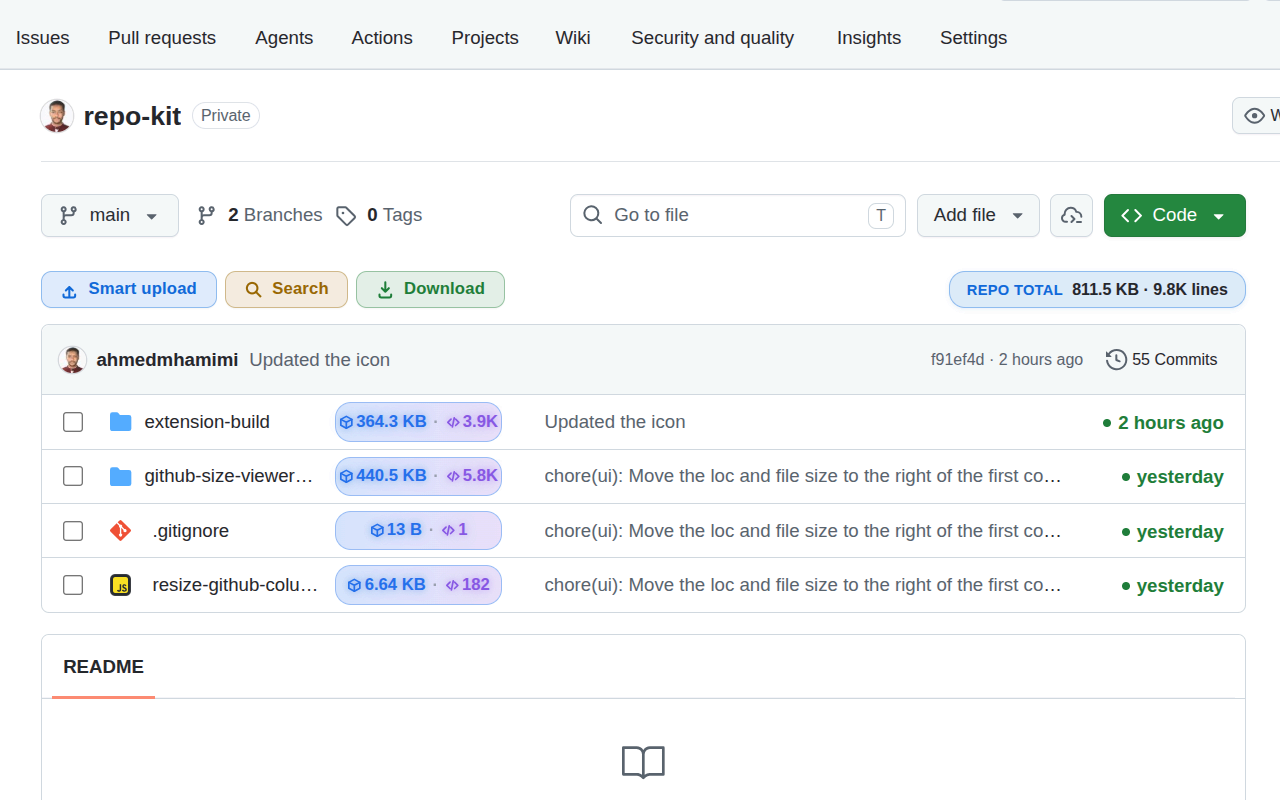
Step-by-step walkthroughs for specific GitHub tasks — folder sizes, zip downloads, line counts, and more.
Honest looks at RepoKit vs. cloning, GitHub CLI, DownGit, and other ways to get the same job done.
How different people — contributors, managers, students, auditors — actually use RepoKit day to day.
Free, no account, works instantly on any GitHub repository you open.
Add RepoKit to Chrome — it's free Repo
Repo