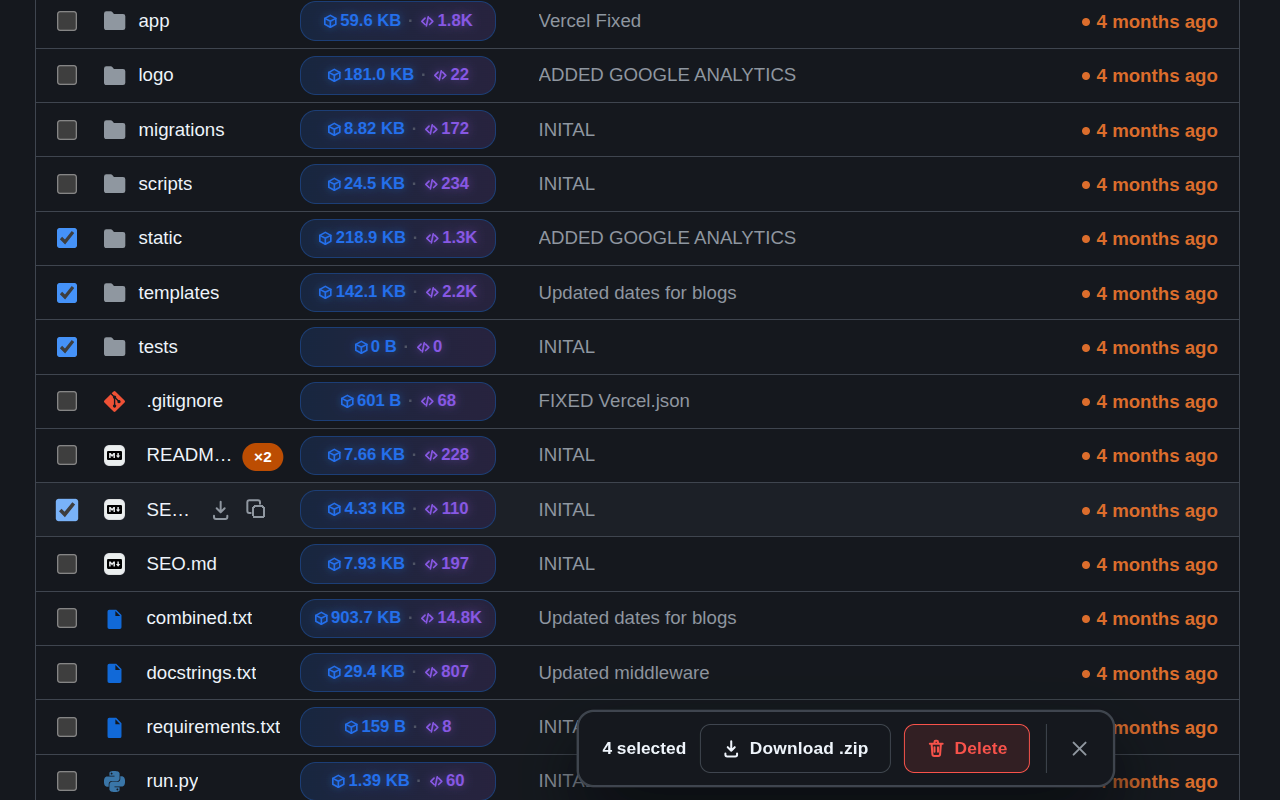
Pasting a config file into a chat with a teammate, feeding a source file into an LLM prompt, or quickly comparing two files' contents all start the same way: you need the text, not the GitHub page around it. RepoKit adds a one-click copy button right on the file row.
Of everything RepoKit adds to GitHub, the copy button is arguably the one people reach for the most, precisely because it maps to something developers do dozens of times a week: get a file's plain-text contents somewhere else — a terminal, a text editor, a chat message, an AI assistant's prompt box — without caring about GitHub's rendering, syntax highlighting, or line numbers around it.
The button appears directly on the file row in any GitHub listing. Click it, and RepoKit fetches the file's raw content and writes it straight to your system clipboard, with a brief visual confirmation so you know it worked. No navigating into the file, no "view raw," no select-all-and-copy inside a rendered code block that sometimes grabs line numbers along with the text.
Where this shows up in a normal workflow
Feeding source files to an AI assistant — pasting a file's exact contents into a prompt is one of the most common reasons developers open a GitHub file at all these days; this removes the "open it first" step entirely.
Sharing a config or snippet in chat — Slack, Discord, or a PR comment often just needs the plain text of a file, not a link to it.
Quick local edits — copy a file's contents, paste into a new local file, and start editing without a full clone when you only need to reference or fork a small piece.
Related
Need the file saved to disk rather than on your clipboard? Use single-file download instead — same one-click convenience, different destination.
Frequently asked questions
Does this work on any file type?+
It's built for text-based files — source code, config files, markdown, JSON, YAML and similar. Binary files (images, compiled assets) don't have meaningful clipboard content to copy, so the copy action only appears on files GitHub itself would render as text.
Is this different from GitHub's own 'copy raw content' button?+
GitHub added a copy-raw button inside the file view itself in recent years, but it still requires opening the file first. RepoKit's version lives on the file row in the listing, so you can copy a file's contents without navigating into it at all — genuinely useful when you're pulling snippets from several files across a folder.
Does copying a very large file cause any lag?+
For typical source files (a few KB to a few hundred KB) it's instant. Extremely large files will naturally take a moment to fetch before the copy completes, with a small loading indicator on the button so it's clear it's working rather than stuck.
 Repo
Repo